How to Create and Monetize Your Own Voice Podcast Using StoryBee
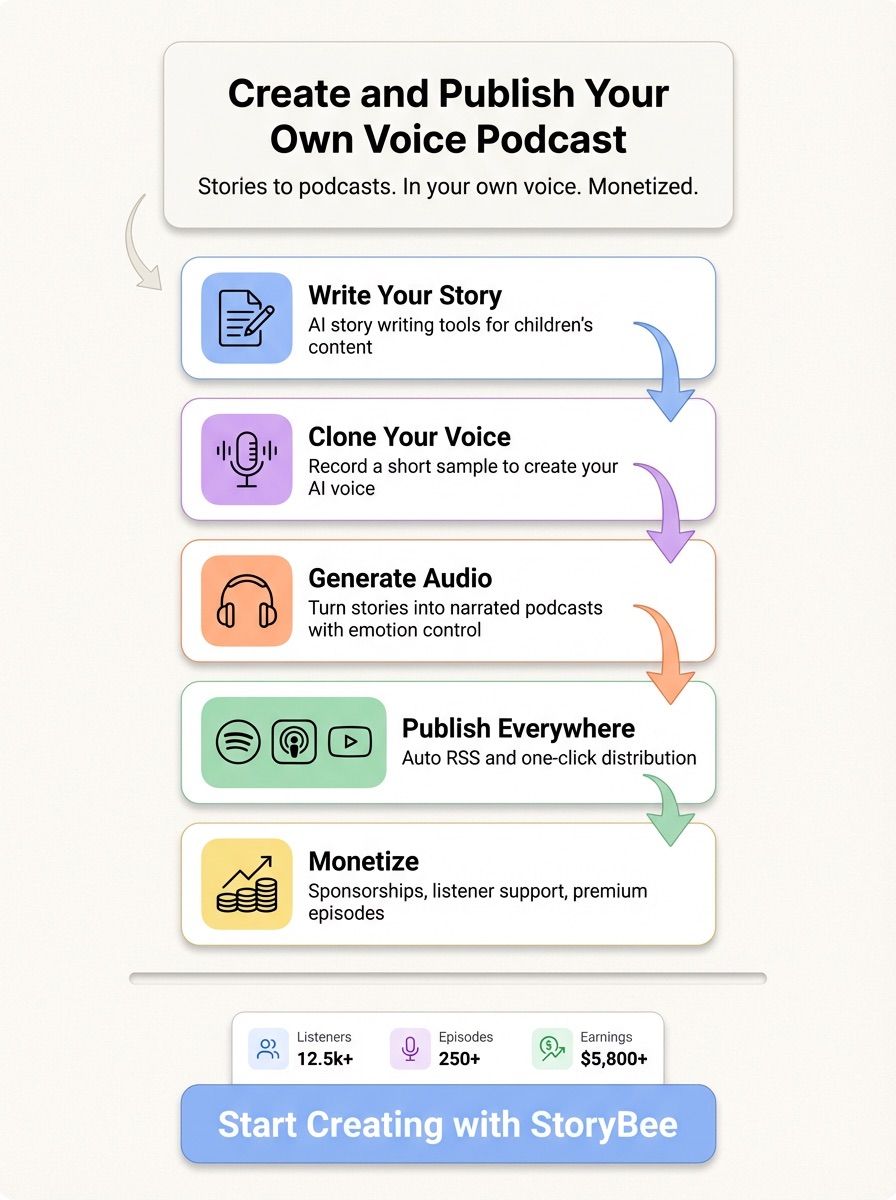
Podcasting often feels complicated before you even begin. You are expected to write scripts, record audio, edit files, manage hosting, publish episodes, and then figure out monetization. StoryBee removes that complexity by bringing everything into one simple workflow. You write stories, turn them into podcasts using your own voice, publish them across platforms, and earn from them without needing technical skills.
This article walks you through how StoryBee works and what you can expect at each step.
What StoryBee Is Designed To Do
StoryBee is an AI-powered storytelling and podcast platform built for creators who want clarity and control without setup friction. It is especially well suited for children’s storytelling, educational podcasts, and narrative-driven audio content. The platform combines writing tools, voice cloning, audio generation, podcast distribution, and monetization into a single experience.
You do not need prior podcasting experience. If you can write or tell a story, you can publish a podcast on StoryBee.
Writing Your Story Inside StoryBee
Everything begins with the story. StoryBee provides a focused writing environment where you can create stories from scratch or use AI assistance to speed things up. The AI helps with structure, flow, and clarity, while you remain in control of the final output.
For children’s content, the system is tuned to produce age-appropriate language and pacing. This makes it easier to create stories that are engaging, clear, and suitable for young listeners. You can edit, refine, and polish your story directly in the editor before moving to audio.
StoryBee is especially optimized for children’s stories. The AI helps with:
- Age-appropriate language
- Clear structure
- Engaging narration flow

Creating Your AI Voice Clone
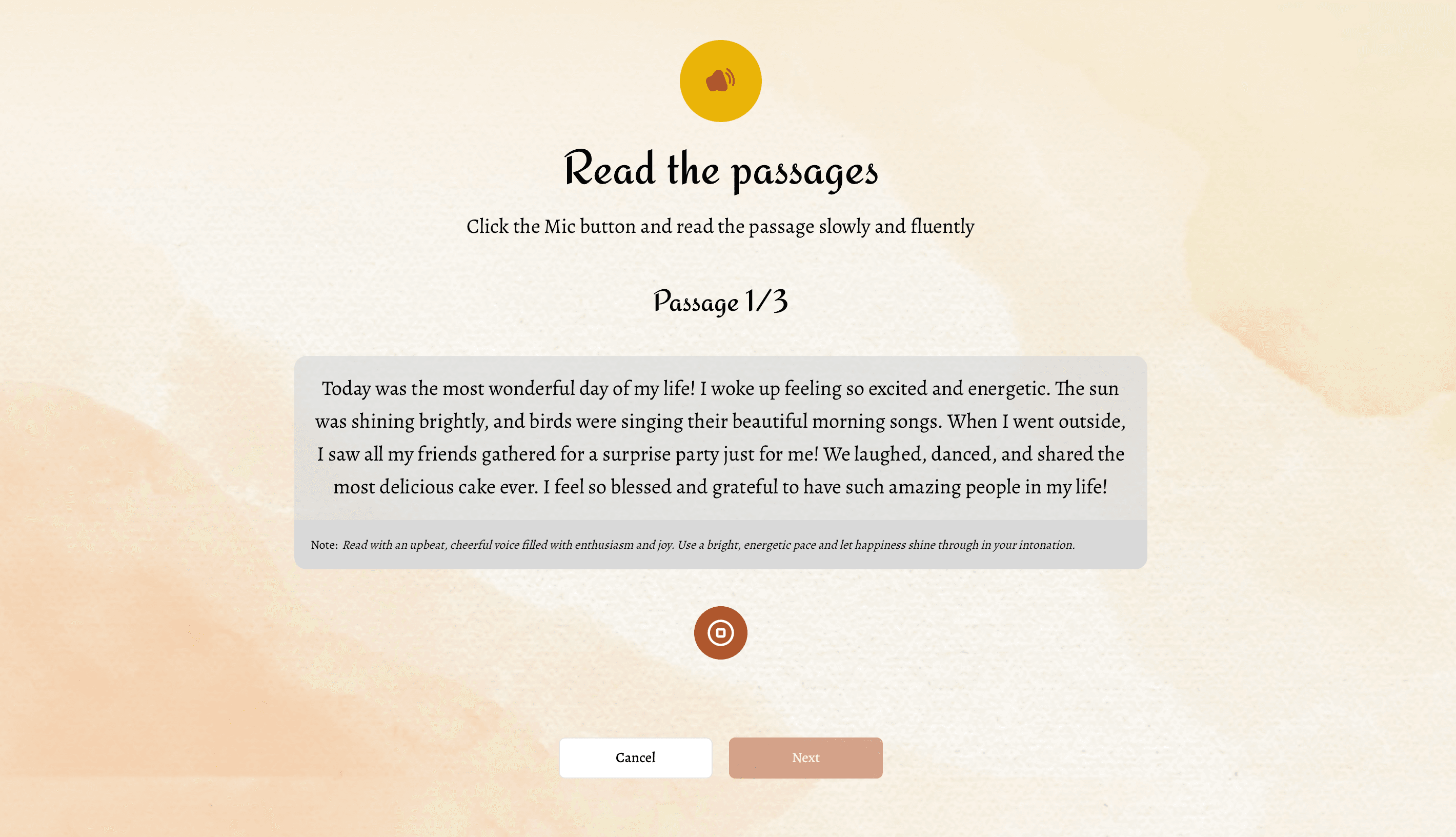
Once your story is ready, you set up your voice clone. This step is intentionally simple. You record a short voice sample following guided instructions. StoryBee uses this sample to create a digital version of your voice that captures your natural tone, pitch, and speaking rhythm.
StoryBee uses this sample to:
- Create a digital version of your voice
- Match tone, pitch, and pacing
- Preserve your natural speaking style
After the voice clone is created, you do not need to record again. Your AI voice can narrate any story you write in the future. This allows you to scale your podcast content without spending hours behind a microphone.
Voice cloning is a cutting-edge feature that allows you to create a digital replica of your own voice using artificial intelligence. Once cloned, this digital voice can narrate stories, making story time more personalized and engaging for children.
Turning Stories Into Audio Podcasts
With your voice clone ready, converting text into audio becomes a one-click process. StoryBee transforms your written story into a narrated podcast episode using your own voice. The system handles pacing, pauses, and emotional expression so the narration sounds natural and engaging.
You can fine-tune how the story sounds by adjusting tone and flow, ensuring the final audio feels human rather than synthetic. Each generated episode is clean, consistent, and ready for publishing.
Why StoryBee Works for First-Time Creators
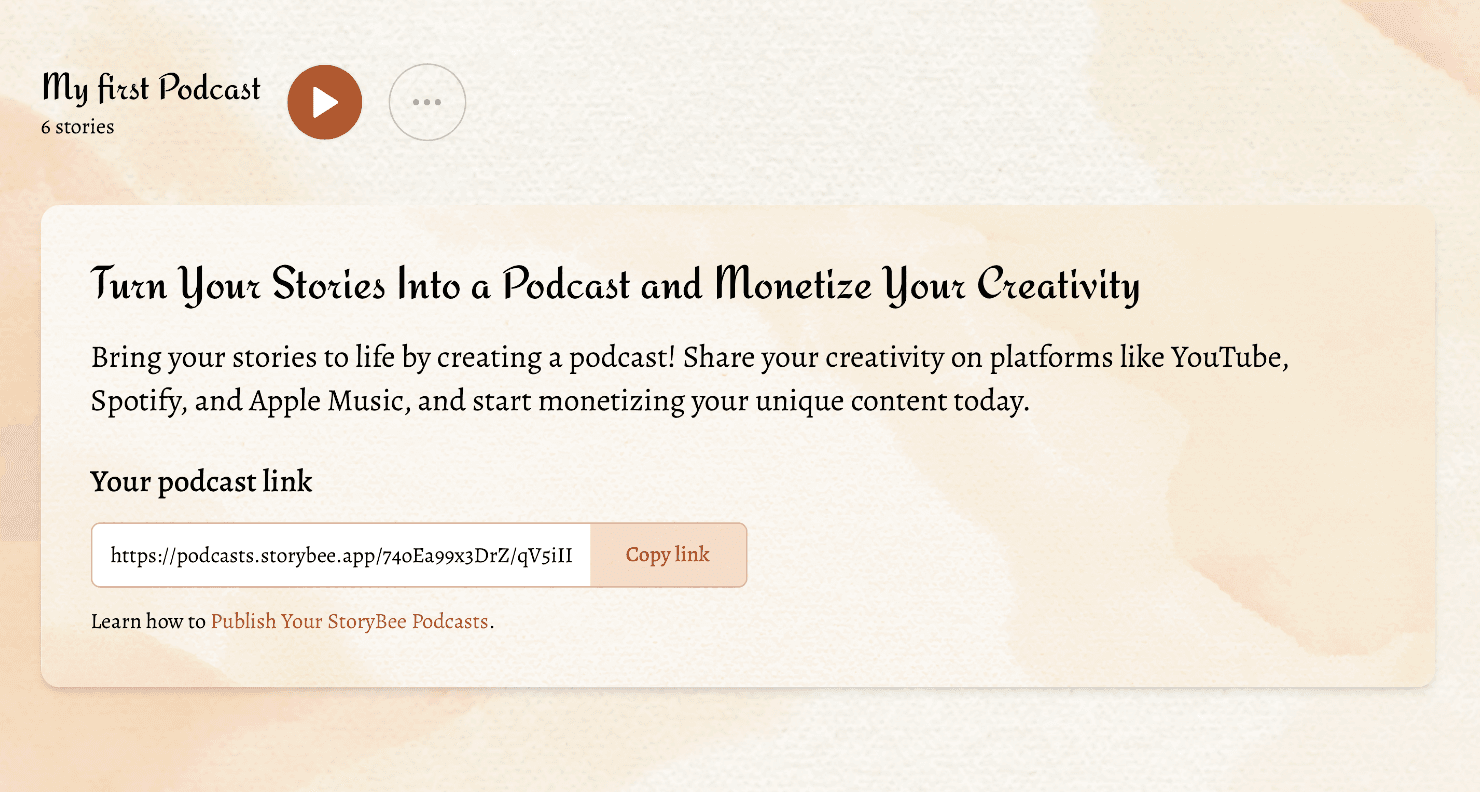
StoryBee removes the traditional barriers that stop people from starting a podcast. There is no need to learn audio editing software, manage hosting providers, or handle distribution settings. The platform is designed so that learning happens naturally as you create. This makes it possible to focus on storytelling instead of tools.
Bringing It All Together
StoryBee turns stories into podcasts and podcasts into sustainable creative work. You write once, your voice narrates automatically, your episodes reach global platforms, and monetization grows alongside your audience. The process stays simple, even as your podcast scales.
Ready to Begin
If you have stories to tell and a voice you want the world to hear, StoryBee AI gives you a clear path from idea to income. Create your first story, clone your voice, and publish your podcast without friction.